Auto Ninja






Game Information
Game Description
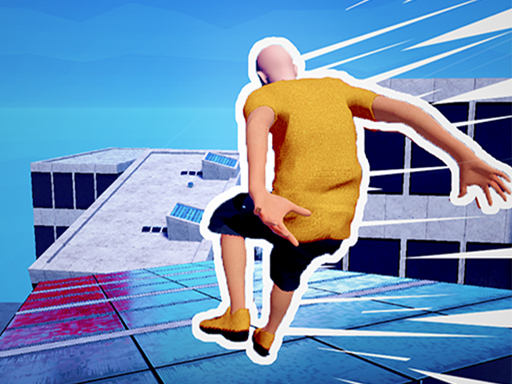
Auto Ninja is an arcade agility platformer that sends you through 41 trap-filled chambers. Every chamber hides three coins, and your job is to collect them all while avoiding deadly traps and solving small platform puzzles. The controls are simple but tight: click or press Space to sprint forward, press once to jump, twice to double jump, and hold in mid-air to glide. This lets you adjust tricky landings and reach coins tucked over gaps. The level design ramps up steadily, mixing sharp reflexes with quick thinking. Clearing chambers unlocks exclusive ninja skins, giving you a reason to master each room. The action stays kid-friendly with no blood, making it a good pick for younger players who still want a real challenge. Jump in, stay patient, and see how many of the 41 chambers you can clear without missing a coin.
Category
ArcadeTags
Features
- ✓41 trap-filled chambers to conquer
- ✓Collect three coins per chamber
- ✓Unlock exclusive ninja skins
- ✓Double jump and glide mid-air
- ✓Kid-friendly action with no blood
How to Play
Game Content
Pro Tips & Strategies for Auto Ninja
Timing is everything in these trap-filled chambers. Use the double jump and glide to correct your path without panicking.
- Plan Your Route: Before you start sprinting, look at the chamber layout. Coins often sit near traps or over gaps. Decide whether to use a single jump, double jump, or glide to reach each one. A short pause saves you from a mistimed leap.
- Master the Glide: Hold the jump input in mid-air to glide like a shadow warrior. This lets you adjust your landing spot and cover extra distance after a double jump. Use it when a coin is placed just beyond a normal jump.
- Don't Skip Coins: All three coins in a chamber are needed to unlock ninja skins. If you miss one, keep calm and retry that chamber. Focus on one coin at a time, and avoid rushing past safe platforms into traps.
Stay patient through the steady difficulty ramp. Every chamber teaches a pattern that will help in later levels.
Frequently Asked Questions
Do I need to download or install Auto Ninja?
No. Auto Ninja runs directly in your web browser on this site, and it is completely free to play. There is no download or install needed. Just open the game page, click or press Space, and start sprinting through the chambers.
How do I unlock ninja skins?
Each of the 41 chambers hides three coins. Collect all three coins in a chamber to unlock exclusive ninja skins. You don't need to buy anything; clearing chambers is the only requirement, and the challenge comes from the traps and platform puzzles.
What are the controls in Auto Ninja?
Click or press Space to start sprinting forward. Press once to jump, press twice to double jump, and hold in mid-air to glide. These controls stay simple and tight, but the trap-filled chambers will test your timing and reflexes at every step.
Games You'll Love If You Enjoy Auto Ninja
If you like the mix of speed, jumping, and careful timing in Auto Ninja, these browser games are a great next pick.
For Fans of Sharp Reflexes:
Fire And Water Geometry Dash Switch between fire and water to avoid obstacles that can destroy you. If you enjoy Auto Ninja's constant hazard awareness, you'll like this fast form-swapping challenge.
Geometry Arrow Dive through a treacherous cave and reach the portal in each level while avoiding deadly spikes and obstacles. Its precise movement demands the same jump timing as Auto Ninja's trap chambers.
For Fans of High-Speed Movement:
Rooftop Run Run, jump, and slide over rooftops while dodging obstacles and escaping enemies. The fast parkour pace matches Auto Ninja's sprinting and jumping flow, and it offers a clean, kid-friendly arcade challenge.
Super Slope Game Control a sphere in 3D to go as far as you can in a cubic world. It uses simple controls with endless reflex challenges, much like Auto Ninja's focus on agility and timing.